
My top startup tools for keeping costs down
Posted 10 September 2026
Post tags
As a startup, you’re always looking to keep your costs as low as possible in the early days. And at less than three months in for Hayley Mark Digital, it is very early days and cashflow is low!
However, as a long-serving project manager in a busy agency, I’m a massive advocate for the right software tools. I really wanted to create a professional foundation for my business and for my clients’ work, but without the monthly costs that can very quickly mount up.
So, here are my top tools that I’m loving right now for my startup business, where I’m focusing on getting the job done efficiently and cost-effectively.
1. Reporting – AgencyAnalytics
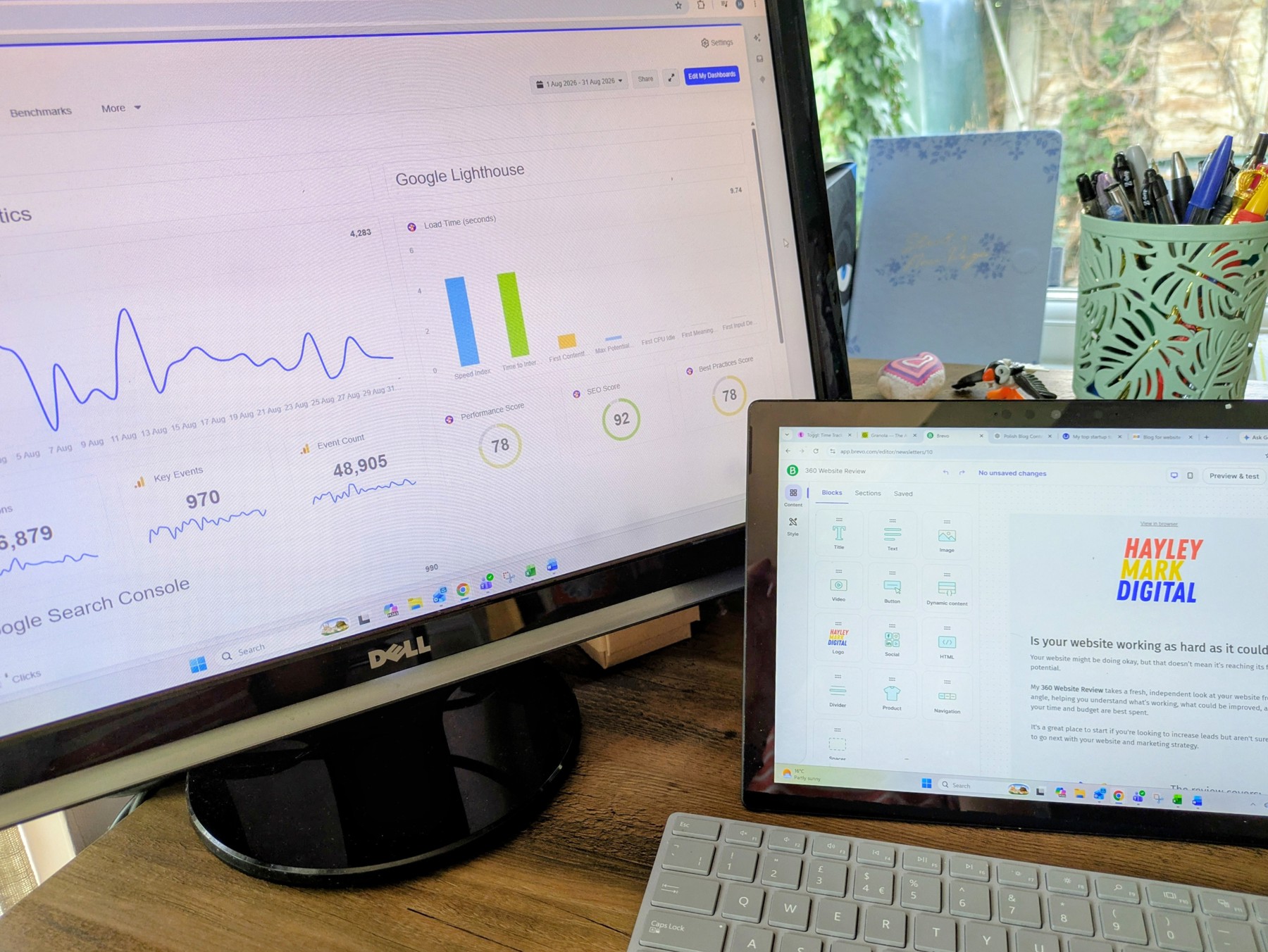
Part of my work is website and analytics reviews, both one-offs and monthly. This tool is new to me, but it is amazing.
It pulls together hundreds of tools into one place for analysis. They offer almost 100 integrations, including Google Ads, Meta Ads, GA4, social media, Semrush, HubSpot, Mailchimp, Shopify, Constant Contact, Google Lighthouse and loads more.
It’s really flexible, so you can build what you need. You can create multiple dashboards per client that show live data and can be shared with the client if you wish. There are dashboard templates for each integration that pre-fill the most popular widgets to give you a starting point. There’s also an AI tool where you can describe the kind of dashboard you need, and it will add the widgets for you.
You can then convert those dashboards into reports, which is what I use to create and send a monthly report. You can intersperse the live graphs and widgets with text, images and media embeds, so you can create something that feels much more personalised than a standard automated report.
And what really makes it work for me, over other tools I’ve looked at, is the pricing structure. You pay per client but can have as many integrations and widgets as you need, so it grows with you. You’re effectively only paying for what you’re charging out.
AI search visibility and keyword ranking come as add-ons. They’re account-wide, so you can use them across all clients for one extra cost, although this is limited to an amount of credits. The add-ons are really easy to add and remove, which means you can keep control of your costs.
2. Project Management – Toggl
I am a Monday.com fan, but it is certainly not a tool for sole traders. You have to pay for a minimum of three seats from the Basic level, and the free plan just doesn’t give you enough to run even a small business.
It’s quite disappointing, to be honest, but it’s clearly not their market.
I’ve also used ActiveCollab and really like it as a tool, but they don’t have a free plan either.
So, after some searching, I found Toggl. The free plan gives me enough to track my time across multiple projects and tasks and run reports on the time spent. Which is all I need to start with.
I can run a live timer or manually add time records, which not all systems offer. The next tier up, which would give me more planning functionality and better reports, is also reasonably priced at $9 a month, with no minimum user requirement.
Whether I’ll stick with it long term when I have oodles of projects to handle, I’m not sure, but for now it’s a great option.
3. Email Marketing – Brevo
There’s a theme here, but again, this is centred around getting the job done for as little money as possible.
Brevo is £6 a month for the Basic plan, which gives you 5,000 emails a month, and the HTML builder is really easy to use.
For that plan, you also get scheduling, SMS, an AI content generator, segmentation, forms and reporting.
Perfect.
4. Granola – Note-taking
Granola is an AI note-taker. It asks to join all your online meetings automatically, and you can choose to bring it in or dismiss it.
It doesn’t appear as a bot within the call; it just runs on your desktop. If you have a meeting scheduled, it appears within the app and you can make manual notes before and during the meeting.
It then summarises the transcript and even gives you options such as sending a follow-up email or creating a task list. You can download notes or send links, and you can also search your historical notes.
It has a great free basic tier, and the next level up is reasonably priced at $14 a month.
5. Accounts – QuickBooks
Personally, I think you need a digital accounting system from day one.
It’s much easier to create professional invoices and quotes, and even a few startup costs can really quickly get out of hand if you’re not on top of them.
I’ve used Xero for many years in agency environments and it’s brilliant, but it’s fairly pricey. So, I started shopping around again and found QuickBooks and their wild deals.
I got it for £10 for the first year – yes, the whole year.
It’s fine. Not as nice as Xero, and I’m not sure I’ll be as pleased with my decision when I have to pay full price next year. But needs must, and I’ll cross that bridge when I come to it!
6. AI – ChatGPT and Claude
It’s controversial, but of course I use AI for generating a lot of my content and documents.
It just requires some time investment in learning how to use it effectively, and setting your own boundaries for how and when you’re using it.
For example, with this blog, I typed the whole thing out myself and then just pasted it into ChatGPT for a light touch to improve the grammar and flow.
For a blog, I want it to sound like me and reflect my business and brand. But, as an average writer, getting the grammar and flow right is what takes me the most amount of time.
On the other hand, I created a User Acceptance Testing document for a client this week. I just put in the basic bullet points of what I wanted to cover and asked Claude to do the rest.
In this scenario, in my opinion, the document doesn’t need personality or to convey my brand. It needs to be professional, easy to read and cover all the critical components.
I’m still getting by on the free versions, which isn’t ideal, and it will be one of the first things I’ll start paying more for when the regular income picks up.
Top tips for choosing your own tools
So there you have it.
I hope this information helps someone starting out, with a few ideas for tools to try. I know all the options can be overwhelming nowadays, but the right tools can revolutionise your workflow.
If you’re not sure where to start, ask for recommendations from friends and colleagues or via social media and LinkedIn. Keep an eye on the tools clients and colleagues are using during meetings, too. You’ll often find out about things you wouldn’t have come across yourself.
Remember, you might not always get it right first time. Don’t be afraid to pull the plug and try a different one if it doesn’t feel right.
Use free trials to try things out, and put the expiry date of the trial in your calendar so you don’t miss the cancellation window!!
And although it is more expensive to pay monthly, it’s a good idea to start that way until you’ve firmly established that the system is working for you and that it’s actually necessary. You can always switch to annual payment a few months in if that works for you.
Please do drop me a note with any tools you love that you think might change my life, and let me know if you want to chat!